insta360 Photo Paper Catridge for ace pro 2
Photo Paper Cartridge
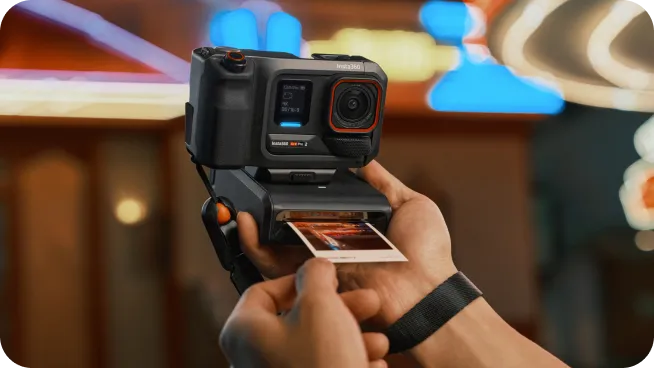
- Snap, print, and bring your creations to life.
- Boasts 16.7-million colors for accurate color reproduction and 300 DPI for crystal-clear details.
- Automatically laminates your pictures to protect them against dust and fading.

Photo Paper Cartridge
Snap, print, and bring your creations to life.

Signed by Insta360.
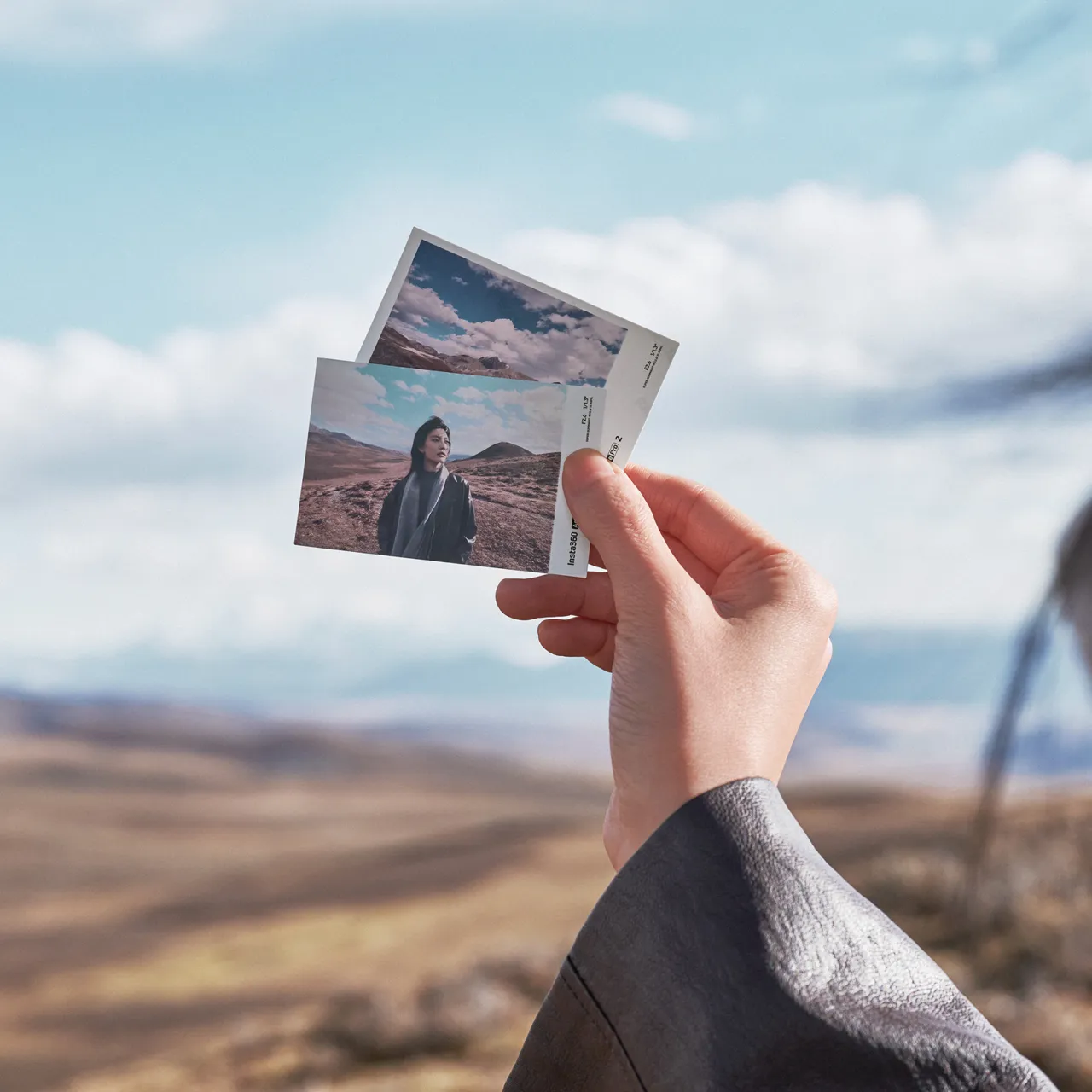
Photo paper features an exclusive Insta360 Ace Pro 2 watermark.
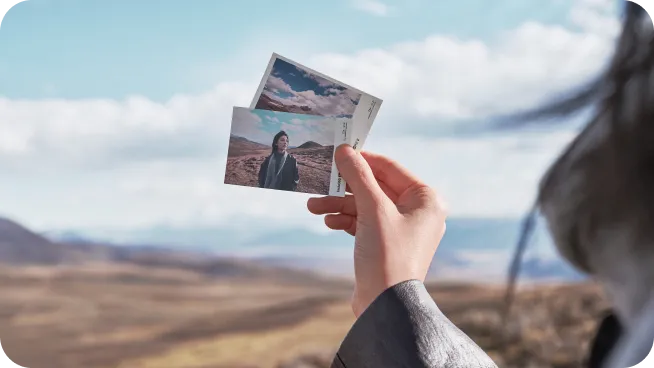
Vibrant colors that last.
The printer accurately reproduces colors and details with a 16.7-million-color range and 300-DPI resolution, while the paper is auto-laminated for long-lasting protection and preservation.
2x Color Ribbon
20× Photo Paper
88g (3.1oz)
82x53mm (3.2x2.1in)
White cardboard, corrugated fiberboard
- After removing the photo paper from the bag, put it into the printer and store it in a dust-free location.
- Do not pull or touch the paper during the printing process.
- Do not remove the transparent plastic sheet on the back of the film box, and do not rotate the ribbon manually.
- Ensure there are no obstructions within 10cm (3.9in) in front of the printer before beginning the printing process.
- Do not put wet photo paper into the printer.
- Do not use third-party photo paper. If you encounter any printer malfunctions or usage problems while using third-party photo paper, you will not be eligible for the free Insta360 repair service.
- The printer's operating temperature range is 41–95°F (5–35°C)
- Each photo paper sheet is designed to be used once. Do not reuse to prevent the ink ribbon from wrinkling.
- Once the Photo Paper Cartridge has been opened, the Pocket Printer is no longer eligible for a full refund. A partial fee will be deducted.
Photo Paper Cartridge
- Snap, print, and bring your creations to life.
- Boasts 16.7-million colors for accurate color reproduction and 300 DPI for crystal-clear details.
- Automatically laminates your pictures to protect them against dust and fading.
Photo Paper Cartridge
Snap, print, and bring your creations to life.
Signed by Insta360.
Photo paper features an exclusive Insta360 Ace Pro 2 watermark.
Vibrant colors that last.
The printer accurately reproduces colors and details with a 16.7-million-color range and 300-DPI resolution, while the paper is auto-laminated for long-lasting protection and preservation.
2x Color Ribbon
20× Photo Paper
88g (3.1oz)
82x53mm (3.2x2.1in)
White cardboard, corrugated fiberboard
- After removing the photo paper from the bag, put it into the printer and store it in a dust-free location.
- Do not pull or touch the paper during the printing process.
- Do not remove the transparent plastic sheet on the back of the film box, and do not rotate the ribbon manually.
- Ensure there are no obstructions within 10cm (3.9in) in front of the printer before beginning the printing process.
- Do not put wet photo paper into the printer.
- Do not use third-party photo paper. If you encounter any printer malfunctions or usage problems while using third-party photo paper, you will not be eligible for the free Insta360 repair service.
- The printer's operating temperature range is 41–95°F (5–35°C)
- Each photo paper sheet is designed to be used once. Do not reuse to prevent the ink ribbon from wrinkling.
- Once the Photo Paper Cartridge has been opened, the Pocket Printer is no longer eligible for a full refund. A partial fee will be deducted.
Description
Photo Paper Cartridge
- Snap, print, and bring your creations to life.
- Boasts 16.7-million colors for accurate color reproduction and 300 DPI for crystal-clear details.
- Automatically laminates your pictures to protect them against dust and fading.
Photo Paper Cartridge
Snap, print, and bring your creations to life.
Signed by Insta360.
Photo paper features an exclusive Insta360 Ace Pro 2 watermark.
Vibrant colors that last.
The printer accurately reproduces colors and details with a 16.7-million-color range and 300-DPI resolution, while the paper is auto-laminated for long-lasting protection and preservation.
2x Color Ribbon
20× Photo Paper
88g (3.1oz)
82x53mm (3.2x2.1in)
White cardboard, corrugated fiberboard
- After removing the photo paper from the bag, put it into the printer and store it in a dust-free location.
- Do not pull or touch the paper during the printing process.
- Do not remove the transparent plastic sheet on the back of the film box, and do not rotate the ribbon manually.
- Ensure there are no obstructions within 10cm (3.9in) in front of the printer before beginning the printing process.
- Do not put wet photo paper into the printer.
- Do not use third-party photo paper. If you encounter any printer malfunctions or usage problems while using third-party photo paper, you will not be eligible for the free Insta360 repair service.
- The printer's operating temperature range is 41–95°F (5–35°C)
- Each photo paper sheet is designed to be used once. Do not reuse to prevent the ink ribbon from wrinkling.
- Once the Photo Paper Cartridge has been opened, the Pocket Printer is no longer eligible for a full refund. A partial fee will be deducted.